Ryph is an open-source platform for running coding agents on infrastructure you control. You give an agent a task from a GitHub, GitLab or Radicle thread, a chat, a schedule or an alert. It works in a sandbox with a checkout of your code, and hands back a pull request, an issue, a page or an answer, wherever you asked.
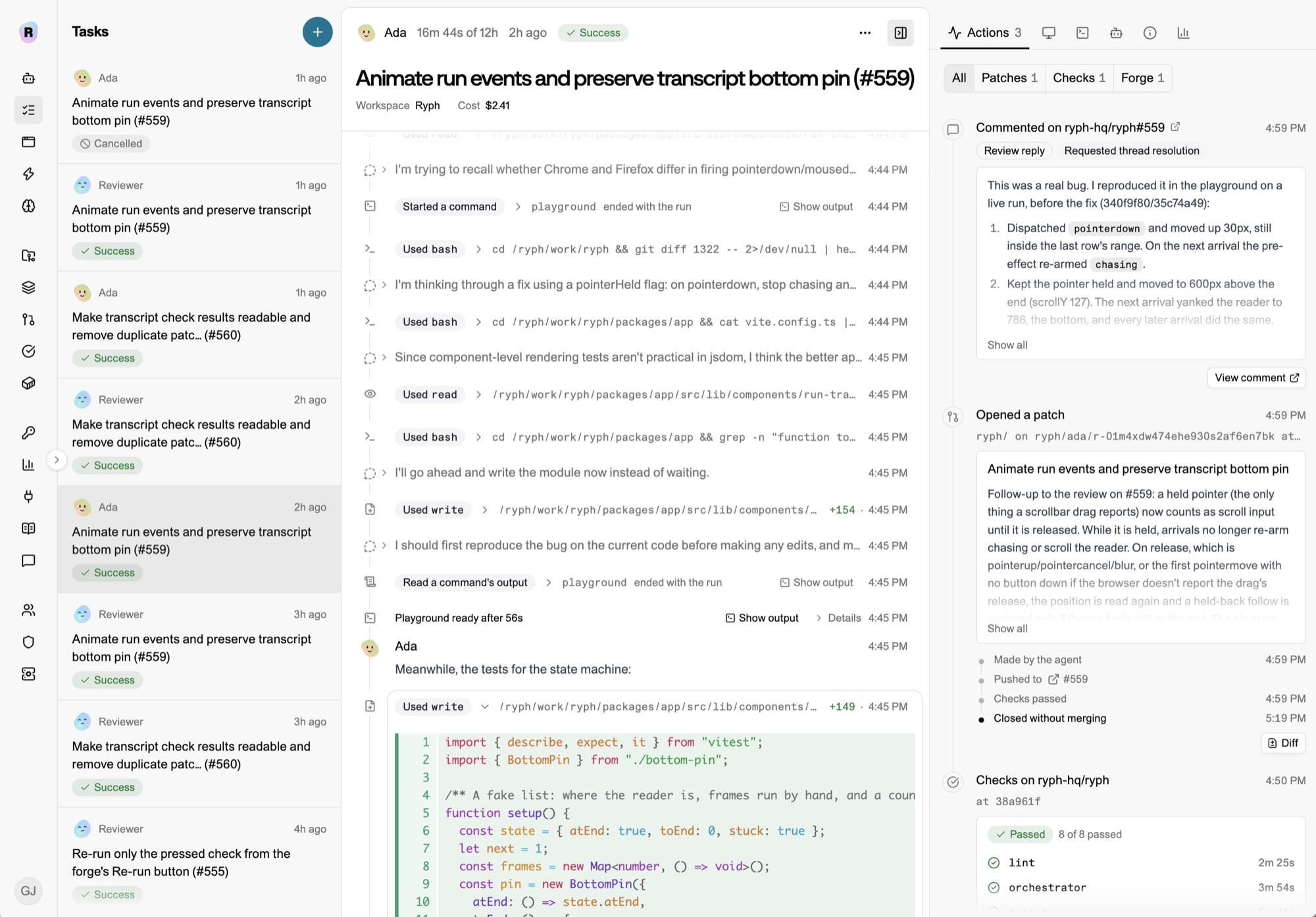
Put an agent on call
Point your alerts at Ryph, and every alert opens a thread in your incident channel with an agent already in it. Within a minute it has read the alert, queried your dashboards, gone through recent commits and your runbooks, and posted what it found. Whoever is on call mentions it to steer it. Once it finds the cause, it can write the fix, run your checks and open a pull request for your team to review. When the alert resolves, it wraps up in the same thread.
Chat & Responses explains how agents work in chat, and how an alert brings one in.
Give your team an agent they can trust
Put an agent in your company chat, and anyone in the channel can hand it work. Engineers ask how something works. Someone from support pastes a screenshot of a broken button, and the agent reproduces it in a browser, fixes it, and opens a pull request with before and after screenshots. Someone from finance asks how signups changed since the pricing update, and gets a page with a chart.
That’s safe to hand a whole company because the agent holds no keys. An agent that reads a hostile issue, web page or chat message can be talked into anything, so Ryph assumes it might be. Git, model providers and tools are reached through Ryph’s gateways, which check every request. The agent’s work leaves the sandbox as a patch, Ryph opens the pull request, and an engineer reviews every change before it ships.
Secure forge interactions explains how agents ship pull requests and file issues without a git key.
Features
Both run on the same pieces as everything else in Ryph. Agents can be confined to the hosts on your allowlist, run your checks against the commit they’ll ship, and start from a machine with your toolchain and a warm build. You can watch them click through your app in their browser, or open their dev server yourself. Ryph runs as one binary on your laptop, Docker Compose on a server, or Kubernetes for a team, and your code stays with you.
- Secure forge interactions Agents clone, ship pull requests, file issues and review code without ever holding a git key. Every request goes through Ryph’s forge, which checks it against what the agent may do.
- Egress confinement Runs and environment builds reach the internet only through Ryph’s egress proxy, and only the hosts on your allowlist.
- Tool proxy Agents use Linear, Sentry, Grafana and other MCP servers through Ryph, which keeps the keys and checks every call against the tools the agent was given.
- Model proxy Agents call Anthropic, OpenAI and any OpenAI-compatible model through Ryph, which keeps the keys, holds each run to its models and counts what it costs.
- Checks Agents run your checks until they pass. Passes carry forward, so the pull request opens green.
- Environments Each repo gets a machine with its tools, dependencies and a warm build, so runs start working right away.
- Browser use Agents click through your app in a real browser while you watch live, and post their screenshots to pull requests, issues and chat.
- Artifacts Reports, comparisons and overviews come back as pages with charts and diagrams, updated as you ask for more.
- Previews Agents run your app’s dev server in their sandbox, and you click through it in your own browser while they work. Only people who can see the run get in.
- Chat & Responses Mention an agent in Slack, Zulip or Telegram, or let an alert bring one into your incident channel.
- Semantic memory Agents keep what they learn about your code and your team. Ryph checks each lesson on its way in, and later runs start with what fits their task.
- Automations Start runs on a schedule, or when Sentry, Grafana or any other service sends a request. The instructions stay fixed, and what came in rides along as context.
Get started
Get started points you to a guide, or to the ways to run Ryph for your team. Core concepts explains agents, tasks, runs and patches.